Introducing AI Agentic Framework

Build Smart Agents with a Click

Use BMad Code AI Agent Framework to simulate AI behavior with task handling, context awareness, and reasoning.

Brian Madison (AKA BMad) - 25+ years in software engineering, creator of the BMad Method, and the person Fortune 500 teams call to go AI-native.

100% open source Solo devs → Fortune 500 one methodology Always free
bmad - zsh
$
Installing BMad Method…
✓ Agents ready
✓ Workflows ready
✓ Skills ready
Done. Build something great.
From the blog & podcast

Latest writing

View all posts →
bmad-methodJul 4, 2026 · 7 min read

BMad Method Has Three Flows Now. Here's What Actually Changes Between Them.

BMad Method now ships three separate paths from a described piece of work to reviewed, committed code: the full method, Quick Dev, and BMad Loop. The natural read is that these sit on a single speed dial - the reality is more interesting.

describe work──▶Full Method
└─▶Quick Dev
└─▶BMad Loop──▶reviewed, committed code
blogJun 14, 2026

Capabilities, Not a Pile of Skills

Building Creatina with the rebuilt Agent Builder: one agent that remembers me, evolves as we talk, and works while I sleep.

blogMay 29, 2026

Your Engineers Don't Have an AI Skill Gap. They Have a Permission Problem.

There is a gap in most engineering organizations right now, between what AI coding tools can actually do and what their engineers are allowed to do with them.

podcastMay 4, 2026

Trading 25 Years of Pixel Pushing for AI Strategy

The token slot machine, you're doing UX backwards, and why two agents beat two hundred skills - with Marten Angner of Whiteport Design Studio.

blogApr 9, 2026

Your AI Should Be Arguing With You… and Making You Sweat!

Inside the PRFAQ gauntlet: Amazon's method for killing bad ideas before they cost you months, now powered by the BMad Method.

blogApr 1, 2026

What Does Going AI-Native Actually Mean?

Every few years, something shifts the entire foundation of how software gets built. Containers changed deployment. Cloud changed infrastructure. This is the next one.

On the channel

Latest videos

All videos →
Open source

The BMad Method

The AI-native development framework used by teams at some of the largest brands in the industry. From solo developers to Fortune 500 engineering organizations - one methodology, any scale.

100% open source. Always free. Built by practitioners who ship software every day.

3flows to committed code
v6current major release
MITopen source license

Need help adopting it across your organization? →

$ npx bmad-method install
Installing BMad Method…
Agents, workflows, skills - ready.
Done. Build something great.
What it's made of

BMad AI Development

Read the docs →

BMad is a complete approach to building software with AI - not a single tool, but a stack of practices that fit together. Structured planning up front, autonomous agents in the middle, human review at the end. Here's how the pieces break down.

coding framework

BMad Coding Framework

A practical framework for turning a described piece of work into reviewed, committed code. Agents, workflows, and skills install into your project with a single command and work inside the IDE and tools you already use.

$ npx bmad-method install
software development

BMad Software Development

Full-lifecycle discipline, not just code generation: brainstorming, product briefs, PRDs with 7-dimension validation, PRFAQ-style idea gauntlets, and UX spines - so the thinking is solid before a single line ships.

brief → PRD → UX → build → review
AI framework

BMad AI Framework

100% open source and always free. One methodology that scales from a solo developer's side project to Fortune 500 engineering organizations, built and maintained by practitioners who ship software every day.

MIT · open source · always free
agentic development

BMad Agentic Development

Specialized agents carry the work forward instead of waiting on prompts. With BMad Builder, agents remember context across sessions, evolve as you work with them, and can wake on their own to make progress while you sleep - capabilities, not a pile of skills.

planagents draft the approach
delegatework routed to the right agent
executecode written, tested, iterated
reviewyou approve · code committed
agile AI development

BMad Agile AI Development

Three flows, matched to the size of the work: the Full Method for greenfield builds with complete ceremony, Quick Dev for fast, well-scoped changes, and BMad Loop for continuous, iterative delivery. Pick the flow that fits the sprint - the destination is always the same: reviewed, committed code.

Full Method Quick Dev BMad Loop
Get started

BMad Method Download

BMad Method GitHub →

There's nothing to buy and no signup wall. The BMad Method is open source, hosted on GitHub, and installs into any project with one command - the whole quick start takes about a minute.

latest version v6 license MIT · open source cost free, always source GitHub
BMad Method quick start

Installation

From your project root, run npx bmad-method install. No global install, no config files to hand-write - the installer pulls the latest version straight from the registry.

Setup

The installer walks you through setup interactively: pick the modules you want, and agents, workflows, and skills are wired into your project and ready in your IDE.

Start building

Run /bmad-help to see what's available, then pick your flow - Full Method, Quick Dev, or BMad Loop - and describe the work. The docs cover everything else.

$ npx bmad-method install
Fetching latest version (v6)…
✓ Installed. Run /bmad-help to begin.
What installs with it

Agents

Specialized AI roles that plan, build, and review - each with a clear job in the flow.

Workflows

Repeatable paths from described work to committed code: Full Method, Quick Dev, and BMad Loop.

Modules

Composable packages like BMM for planning generation - install only what your project needs.

Skills

Focused capabilities agents draw on for specific tasks, from PRD validation to code review.

Walkthrough

How to use BMad Method

Full guide in the docs →

From an empty terminal to reviewed, committed code in four moves. The only prerequisite is Node.js - everything else ships with the installer.

STEP 1

Install BMad Method

Open a terminal in your project root and run the installer. npx bmad-method install fetches the latest release directly - no global install, no manual configuration, nothing to clone first.

$ npx bmad-method install
Installing BMad Method…
✓ Agents, workflows, skills - ready.
STEP 2

Get your bearings

Back in your IDE, ask BMad what it can do. The help command lists every agent, workflow, and skill now available in your project - and points you to where each one fits.

/bmad-help
Agents · Workflows · Skills · Modules
Tip: try /party-mode 🔥
STEP 3

Plan the work

Do the thinking before the typing. Planning agents help you produce briefs, PRDs, UX spines, and specs - the artifacts that keep the build honest once the agents start writing code.

/bmad-brief · /bmad-prd · /bmad-ux · /bmad-spec
✓ Planning artifacts saved to your repo
STEP 4

Pick a flow and build

Choose the path that fits the work: the Full Method for greenfield builds, Quick Dev for well-scoped changes, or BMad Loop for continuous iteration. Every flow ends the same way - code you've reviewed, committed.

Full Method · Quick Dev · BMad Loop
✓ Reviewed. Committed. Ship it.
tip

Prefer to plan in the browser? The upfront thinking (briefs, PRDs, UX, research) also runs as Web Bundles in Gemini or ChatGPT - no IDE required. Drop the artifacts into your repo when you're ready to install BMad Method and build.

The roster

BMad AI Agents

Meet every agent in the docs →

BMad ships specialized agents, not one generalist chatbot. Each agent has a defined role and a clear handoff point, and agent workflows route the work between them - from the first planning conversation to the final code review. Here are the roles you'll work with most.

AI project planning agents

Planning Agents

The thinking crew. They run brainstorming sessions, pressure-test ideas PRFAQ-style, and turn rough intent into briefs, PRDs, and specs your build can trust.

  • /bmad-brief · /bmad-prd
  • 7-dimension PRD validation
  • market & idea research
AI UX design agent

UX Agent

Designs the experience before a component exists. Produces DESIGN.md and EXPERIENCE.md spines that keep the interface coherent as agents build it out.

  • /bmad-ux
  • DESIGN.md + EXPERIENCE.md
  • experience-first, not pixel-first
λ AI developer agent

Coding Agents

The builders. BMad's coding agents take the approved plan and write, test, and iterate on the implementation - inside your repo, following your project's conventions.

  • Full Method · Quick Dev · Loop
  • works in your IDE & repo
  • tests as part of the job
AI code review agent

Review Agent

The last gate before commit. Rebuilt from the ground up in v6.2.1, the review agent checks the work against the plan and your standards - you stay the final approver.

  • ground-up rewrite in v6.2.1
  • plan-aware review
  • human approves the merge
Agent workflow plan──▶ design──▶ build──▶ review──▶ commit
Build your own · v1.5.0

BMad Builder

Read the v1.5.0 release →

BMad Builder AI is the agent builder for the BMad ecosystem - the tool you reach for when the stock roster isn't enough and you want to create BMad agents shaped around your own product, codebase, and way of working.

The biggest release since v1.0 made custom agents genuinely durable: they remember you across sessions, evolve as you talk, and can wake on their own to make progress while you sleep. The design philosophy is capabilities, not a pile of skills - one coherent agent that grows with you, instead of two hundred disconnected commands.

remembers evolves wakes on its own
bmad-builder - new agent
agentcreatina
rolecreative partner & researcher
memoryon - persists across sessions
evolutionon - adapts as you talk
autonomyon - wakes & works overnight
status✓ agent created
Four ways to extend BMad

Custom Agents

Define a role, personality, and capabilities - a BMad custom agent that knows your product as well as you do.

Custom Workflows

Compose your own paths from described work to committed code when the three stock flows aren't the right shape.

Module Development

Package agents, workflows, and skills into installable modules - like BMM - that any BMad project can pull in.

Plugins & Extensions

Extend the ecosystem itself: new skills, tool integrations, and community add-ons, open source like everything else.

Works with your tools

BMad Method + Claude Code

Setup guides in the docs →

BMad doesn't replace your AI coding assistant - it gives it a method. One install configures the agents, workflows, and skills for whichever tool you already work in, so BMad with AI coding assistants feels native rather than bolted on.

claude-code

BMad Claude Code Setup

The agentic terminal is a natural home for BMad. Run the installer in your project, select Claude Code when prompted, and the full roster - planning, UX, coding, and review agents - lands as slash commands in your session. Describe the work, pick a flow, and Claude Code carries it through the method.

Best for: long-running agentic builds, BMad Loop, and letting agents work a plan end-to-end.

$ npx bmad-method install
? Select your tools: ◉ Claude Code
✓ Agents installed as slash commands
/bmad-help - you're set
cursor

BMad Method + Cursor

The BMad Cursor setup wires agents and workflows into Cursor's chat and rules, so the method rides along in the editor you already live in - plan in one tab, build in the next.

setup · choose Cursor in the installer
codex

BMad Method + Codex CLI

Terminal-first like BMad itself. The Codex CLI picks up BMad's agents and project artifacts, so briefs, PRDs, and specs steer the code it writes instead of a bare prompt.

setup · choose Codex in the installer
copilot

BMad + GitHub Copilot

Bring the method to the most widely deployed assistant. BMad's planning artifacts and workflows give Copilot the context and guardrails enterprise teams usually have to build by hand.

setup · choose Copilot in the installer
note

One method, any assistant. The planning artifacts BMad produces - briefs, PRDs, UX spines, specs - live in your repo as plain files. Switch assistants tomorrow and nothing is lost; the method travels with the project, not the tool.

Quality is a role, not an afterthought

BMad Test Architect

TEA in the docs →

Speed without scrutiny is how AI-generated code turns into AI-generated debt. BMad treats quality as its own discipline: a dedicated test architecture module, a rebuilt code review, and agents whose whole job is to argue with the work before it ships.

TEA module

BMad TEA Module

The Test Architect module brings a testing brain to the roster. Instead of sprinkling tests after the fact, TEA reasons about quality up front - what could break, what matters most, and what proof the build needs before it earns a merge.

  • test strategy from the plan, not the diff
  • risk-weighted coverage decisions
  • installs as a module, like BMM
code review

BMad Code Review

Rebuilt from the ground up in v6.2.1, BMad's code review is plan-aware: it checks the implementation against the brief, the PRD, and your project's conventions - not just the syntax. You stay the final approver on every merge.

  • ground-up rewrite in v6.2.1
  • reviews against plan & conventions
  • human approves the commit
adversarial review

BMad Adversarial Review

Your AI should be arguing with you - and making you sweat. Adversarial review agents attack the work the way a hard-nosed skeptic would: PRFAQ-style gauntlets for ideas, hostile questioning for designs, and stress-tests for code before reality does it for you.

  • kills bad ideas before they cost months
  • PRFAQ gauntlet for plans
  • skeptic-mode passes on code
Quality gates build──▶ TEA strategy──▶ adversarial pass──▶ code review──▶ ✓ merge
Honest comparisons

Best BMad Method Alternatives

See how BMad works →

"BMad vs X" usually turns out to be the wrong question - most of these tools sit in a different layer of the stack. Coding assistants are the hands; agent frameworks are the plumbing; BMad is the method that tells the work where to go. Here's how each one actually lines up.

Alternative Category What it does well vs BMad Method
BMad vs Spec Kit spec-driven dev GitHub's toolkit for spec-driven development - specify, plan, and task before coding. The closest true alternative. BMad goes further than specs: specialized agent roles (UX, review, TEA), three delivery flows, and adversarial review. Spec Kit is leaner if all you want is the spec discipline.
BMad vs OpenSpec spec-driven dev Lightweight, open spec format for aligning humans and AI on changes before code is written. OpenSpec covers the artifact; BMad covers the whole lifecycle around it - brainstorming, PRD validation, build flows, and quality gates. Simpler needs may prefer OpenSpec's minimalism.
BMad vs Claude Code coding assistant Anthropic's agentic coding tool - plans, edits, tests, and commits from the terminal. ✓ complement, not competitor. BMad installs into Claude Code as slash commands and gives it a method to follow. Most BMad users run both.
BMad vs Cursor coding assistant AI-first code editor with deep codebase chat, rules, and multi-file edits. ✓ complement, not competitor. The BMad Cursor setup wires agents and workflows into the editor. Cursor supplies the editing power; BMad supplies the discipline.
BMad vs GitHub Copilot coding assistant The most widely deployed assistant - completions, chat, and agent mode inside your IDE. ✓ complement, not competitor. BMad's planning artifacts give Copilot the context and guardrails enterprises usually hand-build. Copilot alone has no methodology layer.
BMad vs CrewAI agent framework Python framework for orchestrating role-based multi-agent crews for any domain. CrewAI is a library you code against; BMad is a method you install and use. Pick CrewAI to build custom agent products; pick BMad to ship software with agents today.
BMad vs LangChain agent framework The broadest toolkit for building LLM applications - chains, tools, memory, and LangGraph. Different layer entirely. LangChain is infrastructure for developers building AI apps; BMad is a development methodology. You could even build LangChain apps using the BMad Method.
BMad vs AutoGen agent framework Microsoft's framework for multi-agent conversation and orchestration research. AutoGen excels at experimenting with agent architectures; BMad is opinionated and production-focused, with fixed roles and human review gates rather than open-ended agent chatter.
BMad vs AutoGPT autonomous agent The original autonomous agent experiment - give it a goal and let it loop. Opposite philosophies. AutoGPT bets on full autonomy; BMad bets on structured autonomy - agents work independently, but inside planned flows with a human approving every merge.
✓ complement - works with BMad, install both spec-driven dev - the closest direct alternatives agent frameworks - different layer: libraries, not methods
The case for BMad

Best AI Coding Framework & Best Agentic Development Framework

Judge for yourself on GitHub →

"Best" is a claim you should test, not take on faith. So here's the test: what would the best framework in each category actually need to have - and how does BMad measure up, point by point.

Category · AI coding framework

What the best AI coding framework needs

A coding framework earns "best" by covering the whole distance - from a described piece of work to reviewed, committed code - not just the typing in the middle.

  • Full lifecycle, not autocomplete - brainstorming, briefs, PRDs with 7-dimension validation, UX spines, build, and review in one method.
  • Flows matched to the work - Full Method for greenfield, Quick Dev for scoped changes, BMad Loop for continuous iteration.
  • Quality built in - the TEA test architecture module, plan-aware code review (rebuilt in v6.2.1), and adversarial passes before merge.
  • Tool-agnostic - one install configures Claude Code, Cursor, Codex CLI, or Copilot; artifacts live in your repo, so the method travels with the project.
  • Free and open - 100% open source, MIT licensed, no paid tier gating the good parts.
Category · agentic development framework

What the best agentic framework needs

Agentic development lives or dies on one balance: agents autonomous enough to carry real work, inside a structure humans still control.

  • Specialized agents, real roles - planning, UX, coding, and review agents with clear jobs and handoffs, not one generalist chatbot.
  • Structured autonomy - agents work independently through planned flows, but a human approves every merge. No open-ended looping.
  • Agents that last - with BMad Builder, custom agents remember across sessions, evolve as you work, and can wake to make progress overnight.
  • Extensible by design - build custom agents, custom workflows, and installable modules when the stock roster isn't enough.
  • Proven at both ends of scale - the same methodology runs a solo side project and a Fortune 500 engineering org.
The verdict

Frameworks that generate code are everywhere. A framework that plans, builds, argues with itself, and still leaves you holding the merge button is rare - and it's free. Run the checklist against anything else on the market, then run npx bmad-method install and check it against reality.

Side by side

AI Coding Workflow & Framework Comparison

See the full case for BMad ↑

Two comparisons, two different questions. The first asks how you work with AI - from raw prompting to method-driven agents. The second asks what each class of framework actually covers, dimension by dimension.

Table 1 · AI coding workflow comparison
Workflow Planning Autonomy Quality control Best for
Vibe coding
raw prompting
None - intent lives in the chat and evaporates with it. None; every step is a new prompt. Whatever you happen to notice. Throwaway prototypes, quick experiments.
Autocomplete
inline suggestions
None - you plan, it completes lines. Minimal; suggestions only. Standard review process, unchanged. Speeding up typing in familiar code.
Chat-assisted
IDE chat / agents
Ad hoc - sometimes a plan, rarely persisted. Moderate; agent modes handle multi-file tasks. Depends entirely on the reviewer's diligence. Scoped features and refactors with supervision.
Spec-driven
Spec Kit, OpenSpec
Strong - written specs before code. Moderate; assistant executes the spec. Spec conformance; testing left to you. Teams wanting alignment artifacts first.
Method-driven agentic
BMad Method
Full lifecycle - briefs, PRDs, UX spines, specs, validated before build. High but structured - specialized agents carry planned flows end-to-end. Built in - TEA test strategy, adversarial passes, plan-aware review; human approves every merge. Real products, solo devs to Fortune 500 orgs.
Table 2 · AI development framework comparison
Dimension BMad Method Spec-driven kits Coding assistants Agent libraries
Planning artifacts (briefs, PRDs, UX) ✓ full ◐ specs only - -
Specialized agent roles ✓ plan · UX · code · review - ◐ generalist agent ◐ you define them
Delivery workflows ✓ 3 flows ◐ spec → tasks - ◐ you build them
Built-in quality gates & review ✓ TEA · adversarial · review - ◐ basic review modes -
Human approval on merges ✓ always ✓ yours ✓ yours ◐ optional
Works inside your existing tools ✓ Claude Code · Cursor · Codex · Copilot ✓ assistant-agnostic ✓ is the tool - separate apps
Custom agents & modules ✓ BMad Builder - ◐ rules / configs ✓ code anything
Open source & free ✓ MIT ✓ mostly - paid tiers ✓ mostly
- covered out of the box - partial, or requires your own work - not part of that layer
New · Web Bundles

Run BMad in Gemini or ChatGPT

Browse the shelf →

Self-contained planning agents for brainstorming, briefs, PRDs, PRFAQs, UX, and market research - packaged as one-click installs for Google Gemini Gems and ChatGPT Custom GPTs. No IDE, no command line, no coding required. Run the upfront thinking on your flat-rate web LLM subscription instead of burning IDE tokens, then drop the polished artifacts into your repo when you're ready to build.

Free to install · Requires Gemini Advanced or ChatGPT Plus

Ecosystem pulse

What's new

All updates →
BMad Method explained

Frequently Asked Questions

Full BMad Method guide →
What is BMad Method?

BMad Method is an AI-native development framework created by Brian Madison (BMad): a set of specialized agents, workflows, and skills that take a described piece of work all the way to reviewed, committed code. It's 100% open source, MIT licensed, and used by everyone from solo developers to Fortune 500 engineering teams.

How does BMad Method work?

In four moves: install with npx bmad-method install, run /bmad-help to see your agents, plan the work with commands like /bmad-brief and /bmad-prd, then pick a flow - Full Method, Quick Dev, or BMad Loop - and let the agents carry it through build and review. You approve the final merge.

Is BMad Method free?

Yes - free, always. The framework is fully open source under the MIT license with no paid tier gating features. The only paid offerings are optional: training and consulting for organizations that want help adopting it at scale.

Is BMad Method worth it?

The honest answer: it costs nothing to find out. If you're doing throwaway prototypes, raw prompting may be enough. If you're shipping real products, the value is in what plain assistants lack - persistent planning artifacts, specialized agents, quality gates, and adversarial review. Install it on one feature and judge from the result.

What are BMad Method's main features?

Specialized agents (planning, UX, coding, review), three delivery workflows (Full Method, Quick Dev, BMad Loop), installable modules like BMM and TEA, planning generation (/bmad-prd, /bmad-brief, /bmad-ux, /bmad-spec), plan-aware code review, adversarial review, and BMad Builder for creating custom agents that remember, evolve, and work autonomously.

What are BMad Method's use cases?

Greenfield product builds (Full Method), fast well-scoped changes to existing code (Quick Dev), continuous iterative delivery (BMad Loop), and upfront product thinking - brainstorming, briefs, PRDs, PRFAQs, UX, and market research - which can even run in Gemini or ChatGPT via Web Bundles, no IDE required.

Can I see BMad Method examples?

Yes. The blog documents real builds - like Creatina, a custom agent built with BMad Builder that remembers, evolves, and works overnight - and a UX studio (Whiteport) rebuilding how it works around the method. The GitHub repo and docs carry worked examples of the flows and artifacts.

Is there a BMad Method demo?

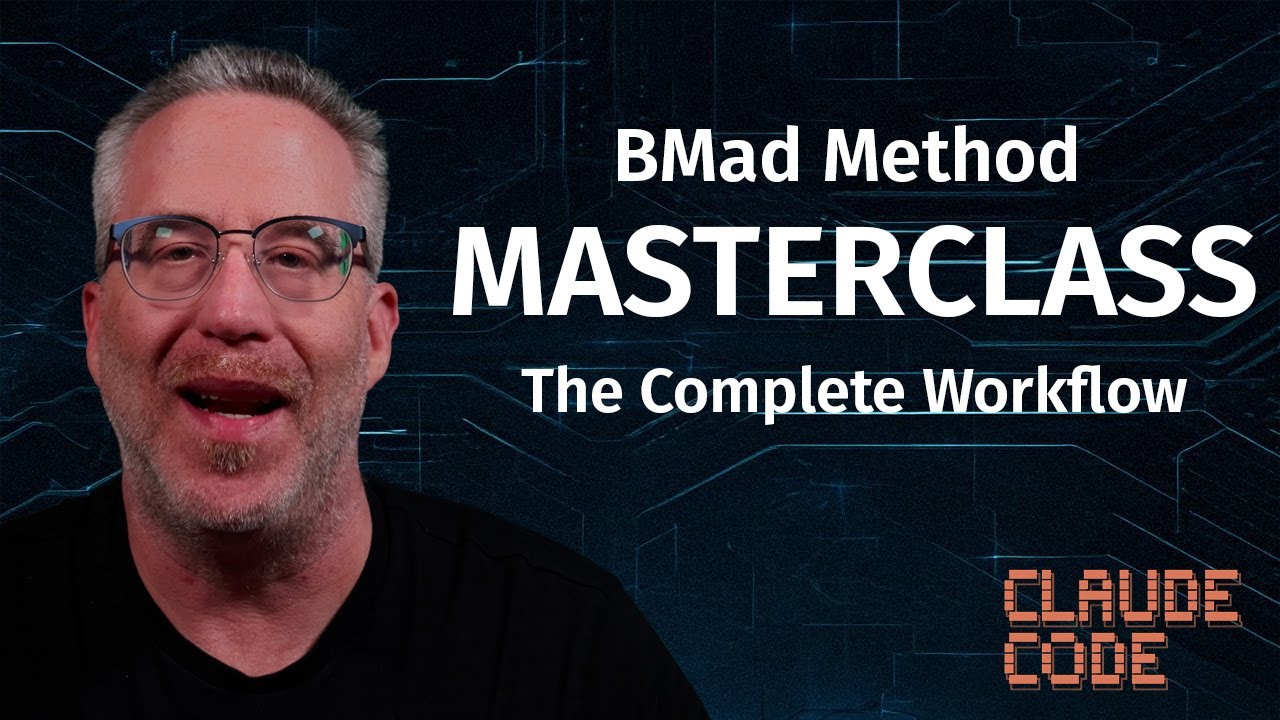
The best demos are the videos: "BMad V6 is Finally Here" walks through /bmad-help and /party-mode, the BMAD Method Masterclass covers the full method in depth, and "BMad Builder is Here!" shows custom agent creation. All are free on the YouTube channel - or just install it; the demo is your own repo.

What do BMad Method reviews say?

The most quotable one comes from the podcast: after 25 years in UX, designer Marten Angner spent his first 20 minutes with the method and called it a love story - then rebuilt his studio's workflow around it. Beyond anecdotes, the practical signal is adoption: teams at some of the largest brands in the industry, alongside a large open-source community.

What's the latest BMad Method update?

Recent releases include BMM v6.8.0 with the new planning generation commands and Web Bundles for Gemini & ChatGPT (May 2026), BMad Builder v1.5.0 with agents that remember, evolve, and wake on their own, and BMad Method v6.2.1 with a ground-up code review rewrite. See What's New for the running list.

What's on the BMad Method roadmap?

Development happens in the open, so the roadmap lives where the work does: the GitHub repository (issues and releases), the changelog, and announcements on the blog and newsletter. Signals from recent releases: deeper planning generation, a community-driven UI in alpha, and more autonomous agent capabilities.

Is there a BMad Method community?

Yes, and it's growing globally. The main gathering points are the Discord server, the GitHub repo for contributions and issues, the YouTube channel, and LinkedIn. Community contributions are already shipping - including the community-driven UI currently in alpha.

Where can I find a BMad Method guide?

Start with the official docs at docs.bmad-method.org - installation, setup, agents, workflows, and modules. Pair it with the four-step walkthrough on this page and the Masterclass video for the full picture.

BMad Method explained in one sentence?

A free, open-source method that gives AI coding agents the discipline of a real engineering team - plan first, build with specialized agents, argue with the work, and let a human approve the merge.

Work with BMad

BMad Training & Consulting

Training & Consulting →

The method is free forever - adopting it well across a real organization is the hard part. That's where BMad training and consulting comes in: 25+ years of shipping software, applied to getting your teams AI-native without the false starts.

BMad Method Training

Hands-on training that takes teams from install to their first reviewed, committed feature. Engineers learn the flows, the agents, and the planning discipline on their own codebase - not toy examples.

for · engineering teams adopting BMad

BMad Enterprise Consulting

Rolling out one methodology across many teams is an organizational problem, not a tooling one. Enterprise engagements cover adoption strategy, governance, and the permission problem - the gap between what AI tools can do and what your engineers are allowed to do with them.

for · Fortune 500 & large orgs going AI-native

BMad AI Consulting

Advisory beyond the method itself: where agentic development actually pays off, which tools are working right now versus which are hype, and how to sequence the transition - from the trenches, not the slide deck.

for · leaders shaping an AI strategy

Need help adopting BMad across your organization?

Brian Madison is the person Fortune 500 teams call to go AI-native. Start the conversation and get a plan matched to your teams, your stack, and your timeline.

Newsletter

Stay ahead of the curve

AI news, BMad Method updates, tool breakdowns, and practical dev content - delivered to your inbox. What's actually working, what's hype, and what you should be paying attention to.

No spam. Unsubscribe anytime.